Broken Icon Colors in Design Systems, How to fix them?
Broken Icon Colors in Design Systems, How to fix them?
Broken Icon Colors in Design Systems, How to fix them?
You set up your design system correctly. Tokens are applied. Everything looks fine in the component. But once you use it, the icon color breaks. It’s not a styling issue, it’s a structural mismatch inside your SVGs.
Problem
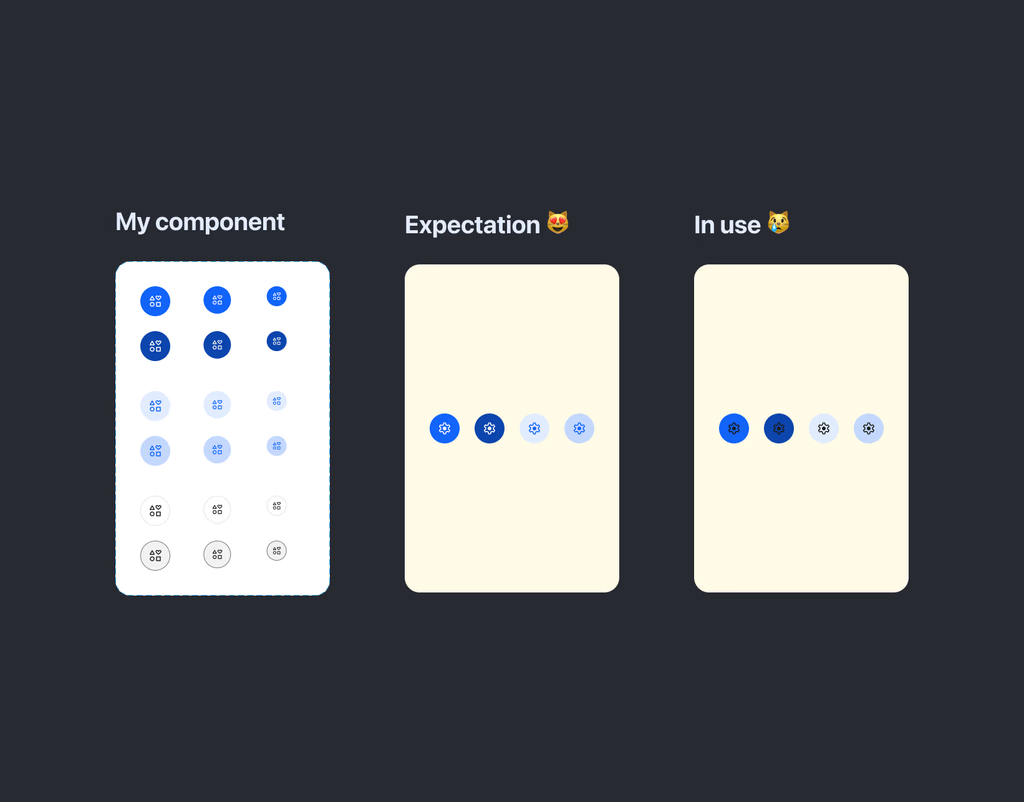
When building a design system for the first time, everything often feels correct.
Your components are set up
Color tokens are applied
Icons look perfect inside the library
BUT, something strange happens,… The moment you use those icons in real screens, they suddenly lose their color and revert to the original.
If you’ve run into this, you’re not alone. This is one of the most common issues beginners face when working with icon systems.
What’s Actually Happening?
Same component. Same color setup. Different result.
At first, it looks like a styling issue. It might look like a token issue, or maybe something is being overridden.
But the real cause is much simpler: Your component is styling based on layer names inside the SVG.
For example:
- Your component targets a layer named vector- But some icons are structured like: settings (default name from design tools, or from icon plugins, e.g., Material symbols, Iconfi, SF symbol,…)
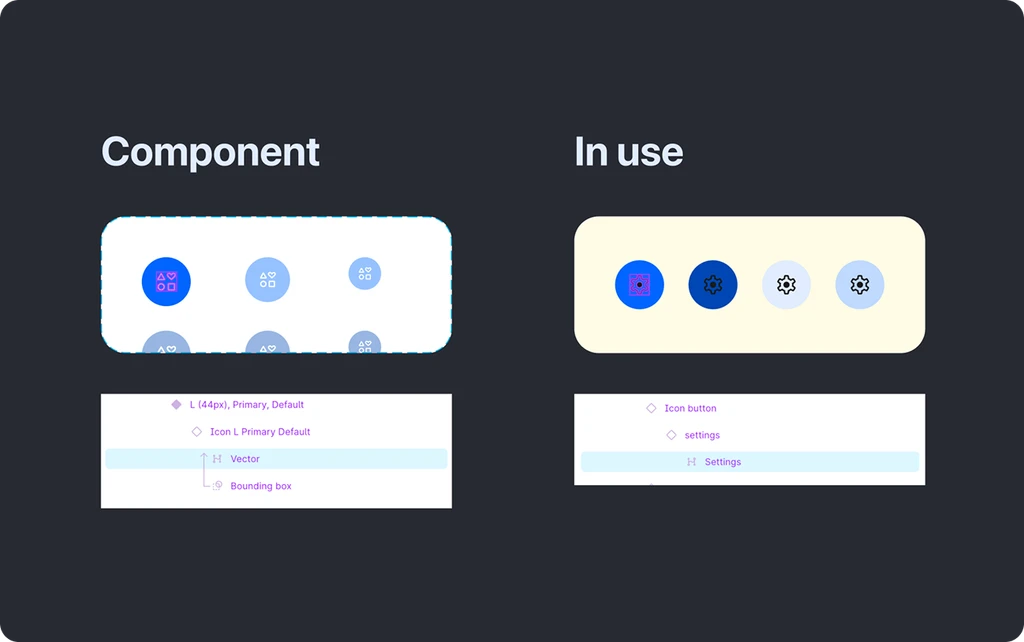
As you can see in the attachment, we found a small difference, but it is the root cause!
When the component tries to apply color:
It looks for a layer called
vectorBut the icon only has
settings
No layer matches with vector → No styling applied → The icon keeps its original color.
A Simple Way to Think About It
Your component isn’t broken, it just doesn’t know where to apply the color.
To explain this issue, we have a simple way to think about it:
It’s like a delivery guy trying to drop off a package.
The label says: “Deliver to: Vector”
But when he arrives, the house only has a door labeled: “Settings”
👉 No matching name → he doesn’t know where to go
👉 So the package is never delivered
Just like that, your system can’t apply color because it can’t find the right layer.
How to Fix It
Standardize your SVG naming (Recommended)
Make sure all icons share the same internal structure.
Your component can always target the correct layer
Works reliably across all icons
Scales well as your system grows
For example: Use consistent names like vector, path, icon-fill, icon-stroke,…
My Take: I usually standardize as vector. For any path that should preserve its original color, I give it a specific name like color-line
Step 1: select vector
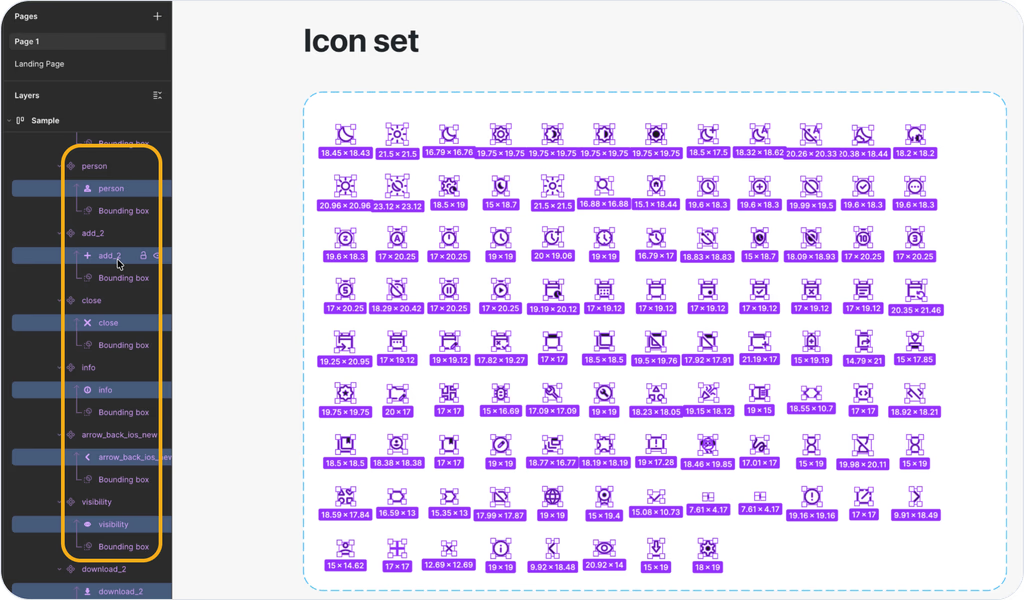
Step 2: multi-rename vector layer
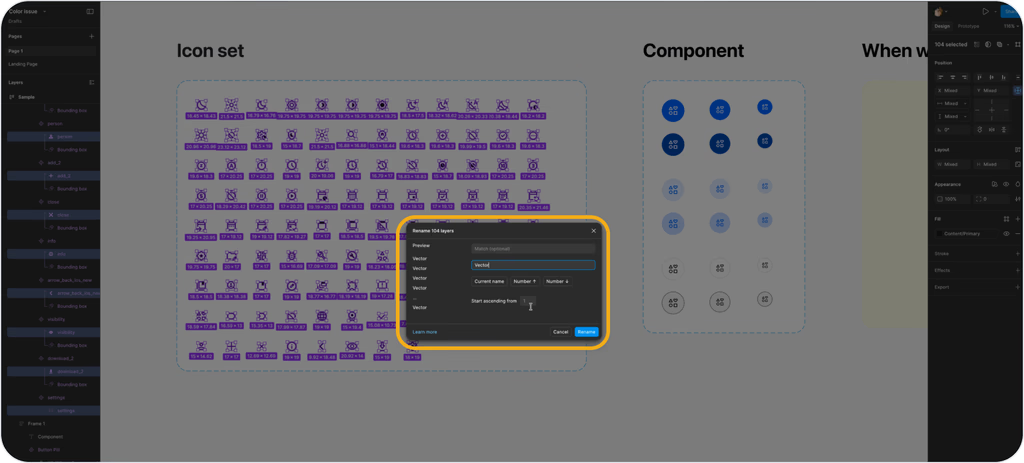
Step 3: check again and test
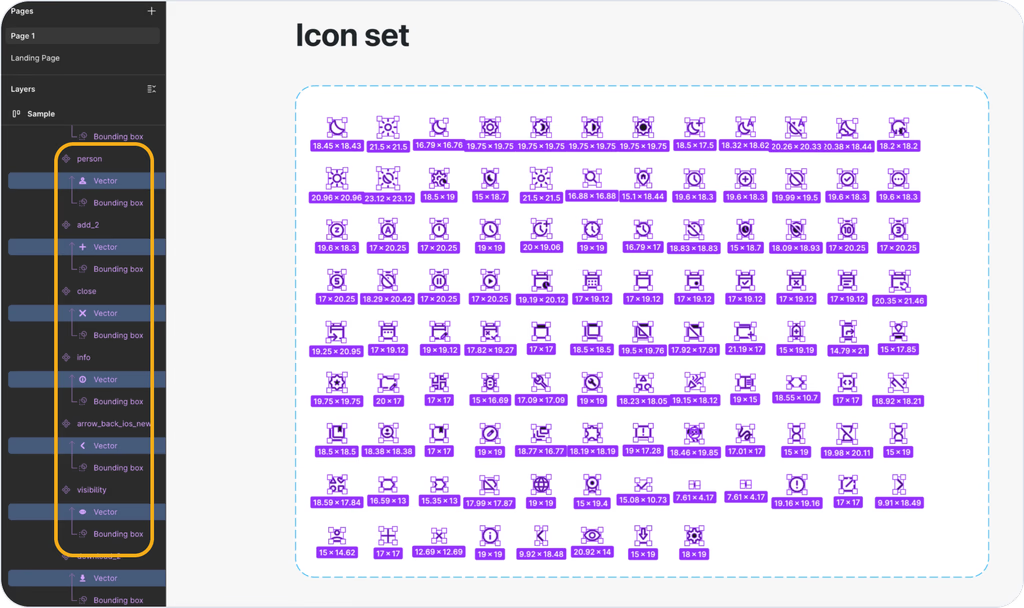
Adjust the Component (Quick Fix)
You could update your component to match each icon: Change the target from settings → vector
But this comes with trade-offs:
Hard to maintain
Breaks consistency
Doesn’t scale
Key Takeaway
Your component isn’t broken.
Design systems rely on structure, not just styles. If layer names don’t match, styling simply won’t apply.